Create 20 or 300 Jira issues from one paste.
Bulk-create, bulk-edit and template Jira issues. Select rows, click a Smart Pill — assignees, dates and custom fields land on every issue at once. Up to 300 per batch on Advanced, 150 on Standard.
No credit card required · Starts inside Jira
High-volume Jira work shouldn't mean high-volume clicking.
Manual entry doesn't scale.
The bottleneck isn't your tools — it's the translation from decisions to backlog.
Planning overhead
Every session ends with dozens of action items — each needing its own structured ticket.
Repetitive data entry
Re-typing the same decisions into Jira, field by field, ticket by ticket.
Lost context
Notes scattered across docs and meetings quietly never make it into the backlog.
Three ways in. One ready backlog.
Paste notes
AI builds the hierarchy
Type freely
Structure emerges as you type
Reuse a template
Swap variables, deploy
You review everything before it reaches Jira.
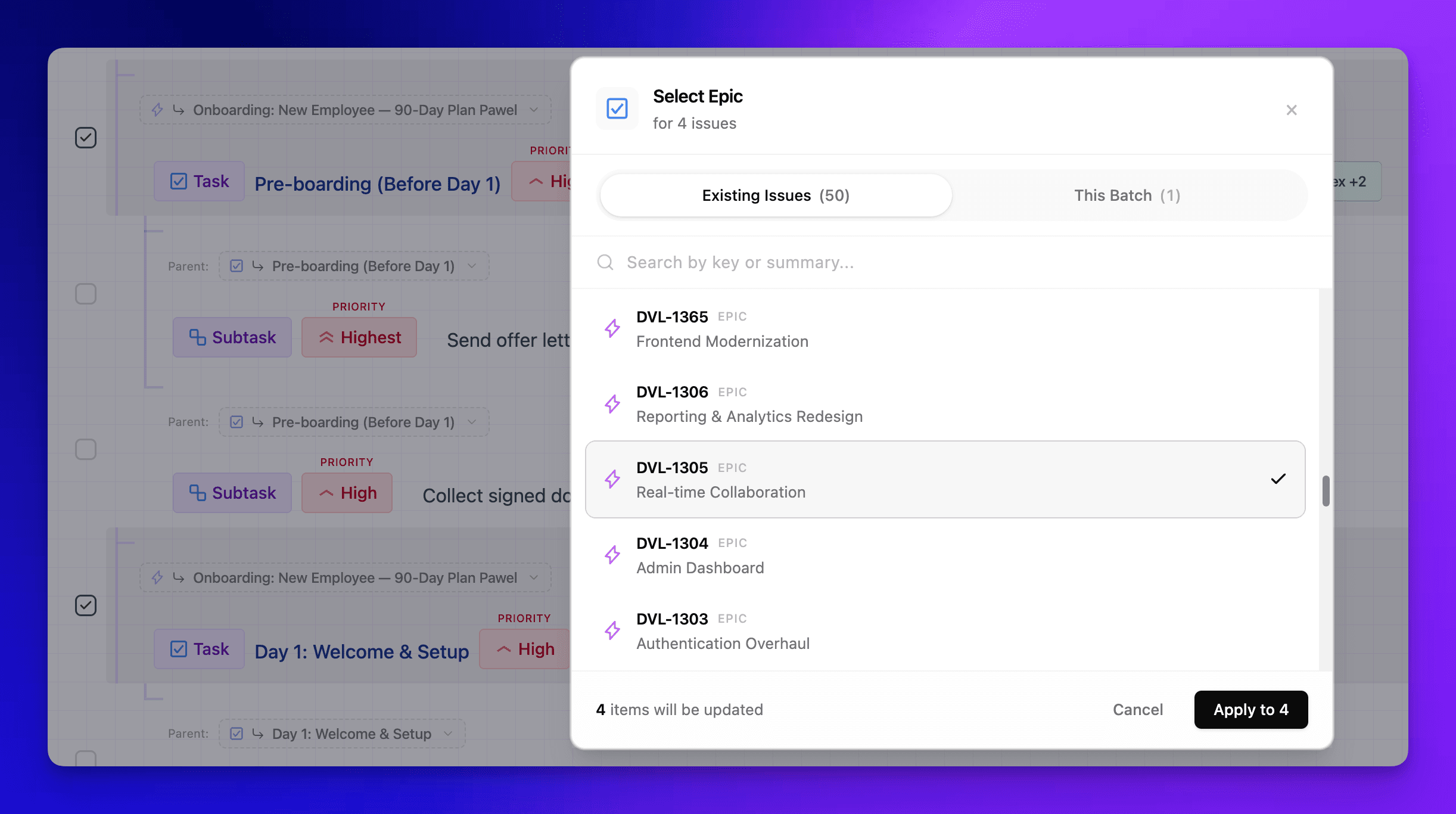
Bulk-create subtasks under any existing issue.
Point at an existing epic or story and bulk-create every subtask beneath it in one pass — no opening each parent, no dedicated checklist add-on.
- Point at any existing Jira parent by key — PROJ-123
- Bulk-create dozens of subtasks beneath it in one pass
- Parent-child links handled for you, every time
Changing 40 tickets shouldn't mean opening 40 tickets.
Reassigning a sprint or bumping a priority used to mean opening each ticket, one after another. Select them all, change the field once — and it lands on every one.
Batch updates
Select many tasks, change one field, and it lands on all of them at once.
Inline field Pills
@name, !priority, #type set assignee, priority, and issue type — no dialogs.
Hierarchy as you type
Epic → Story → Subtask structure emerges from your text; links handled for you.
Keyboard-first
Built for teams that move fast. Works fully without AI when you want it.
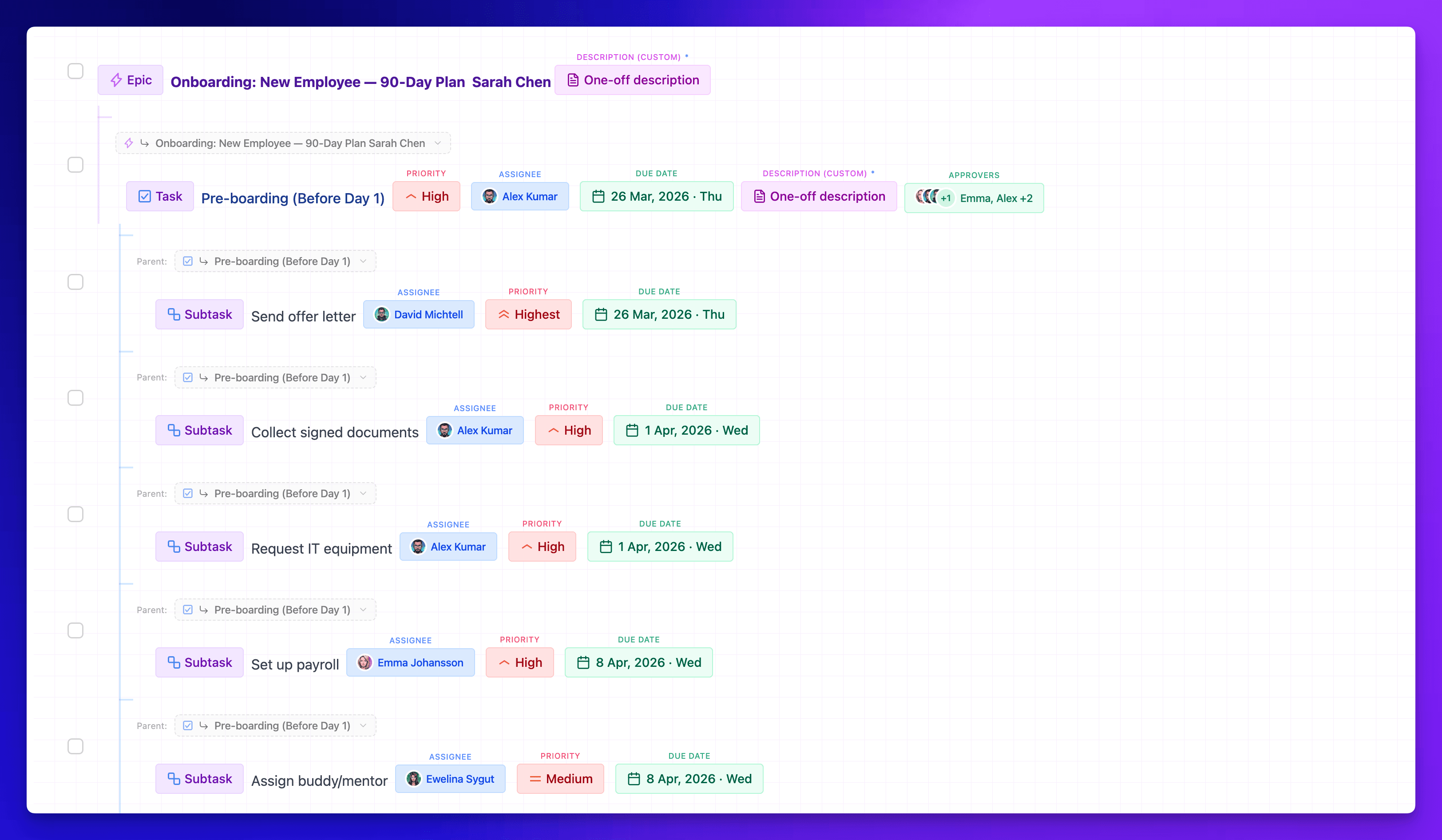
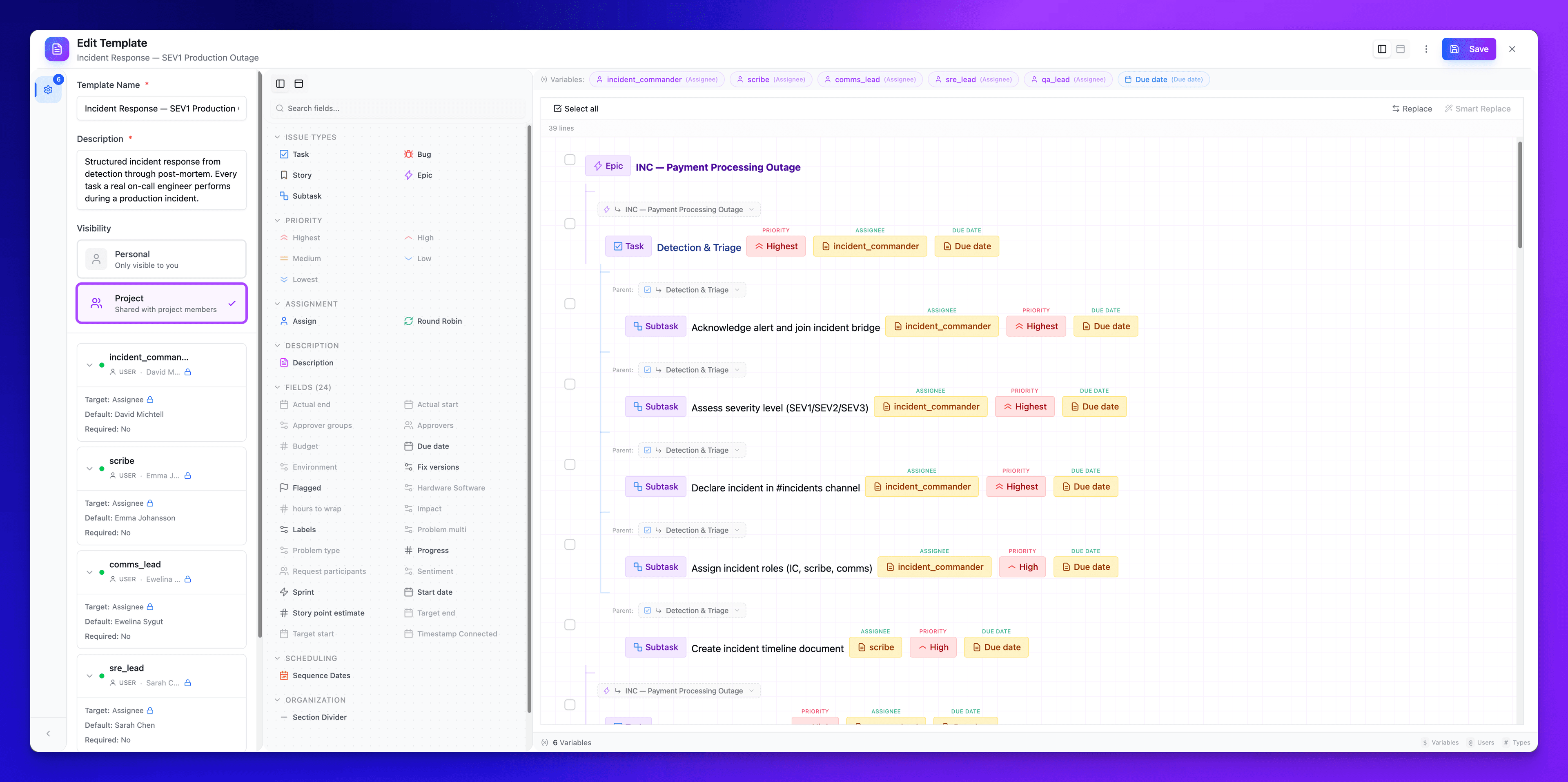
The same Jira setup, built once. Reused every cycle.
Onboarding, launch checklists, release runs — recreated line by line, sprint after sprint.
Built for the batch, not the busywork.
Every number below is a ceiling you hit on day one of the trial — not a feature you pay extra for.
One paste replaces the afternoon you would otherwise spend clicking Create issue, one ticket at a time. The trial is long enough to prove it on your own board.
Estimate varies by team size and workflow.
Built for enterprise, runs on Atlassian.
AI runs on Atlassian's Forge platform. Our app sends no data to any third-party AI provider — the kind of thing your security team likes to hear.
Runs on Atlassian
SuperTemplates carries Atlassian's verified Runs on Atlassian badge — compute, storage, and AI inference all stay on Atlassian-hosted infrastructure, with no customer-data egress to third-party servers.
Forge-native
Runs inside your Jira on Atlassian Forge — no external servers or databases operated by us.
Encrypted in transit & at rest
Atlassian Forge provides AES-256 at rest and TLS 1.2+ in transit, on Atlassian's SOC 2-certified platform.
Review before create
AI output is a suggestion only. Nothing is written to Jira until you review and confirm.
Frequently asked questions
Everything you need to know about SuperTemplates.
Your next sprint planning is one paste away.
Install from the Atlassian Marketplace, open the panel inside Jira, and create your first batch before the meeting ends.
No credit card. No API key. Runs entirely on Atlassian infrastructure.