Every tool in the Jira issue editor
Smart Replace, bulk field application, sequenced dates, round-robin assignment, quick filters, keyboard-first navigation. Six tools, one grid, every one of them rule-based — the same rows and the same clicks give the same result every time, with no model in the path.
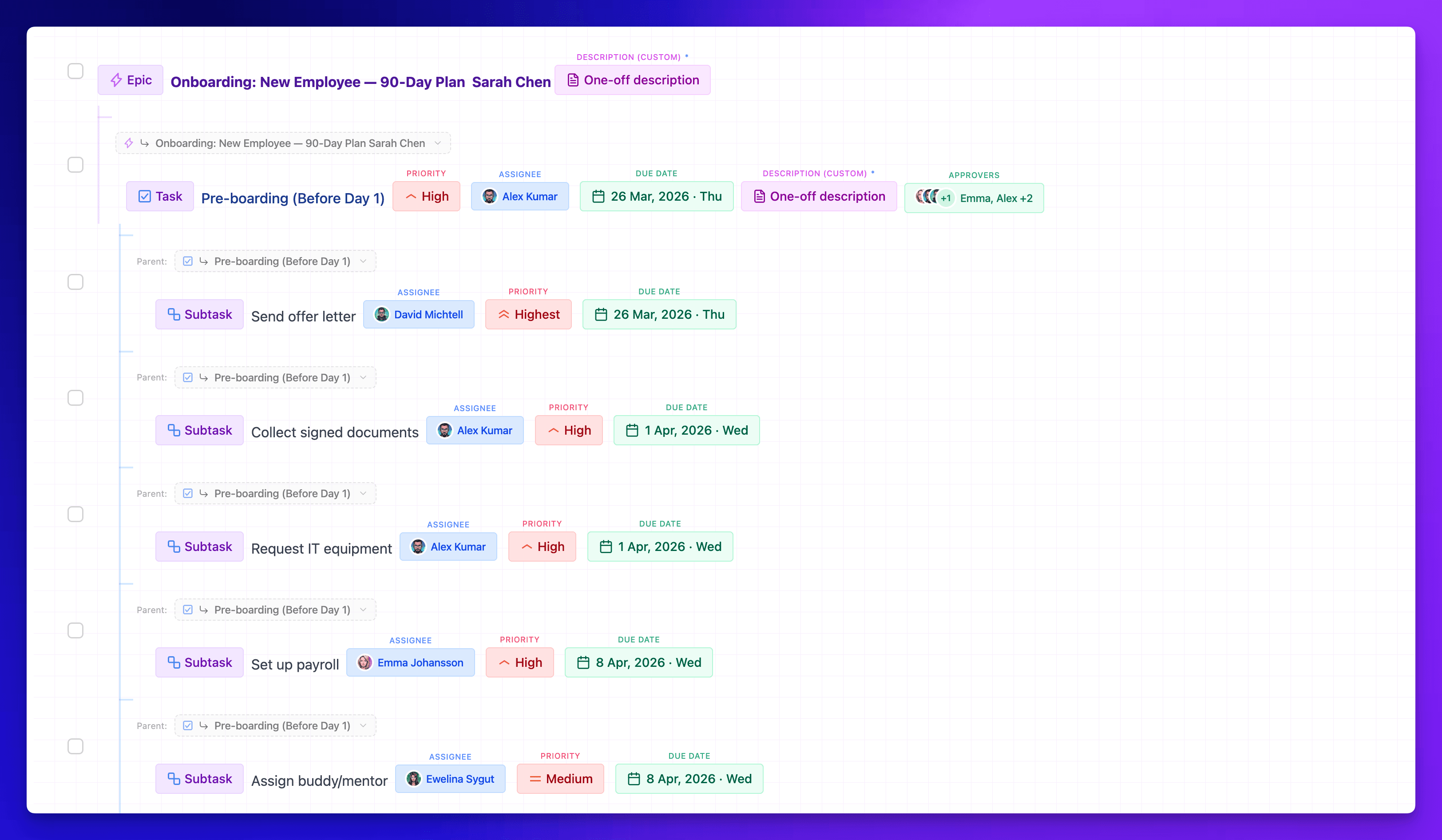
Power editing. Zero AI required.
Your process doesn't depend on AI being “in a good mood.” Smart Replace, bulk fields, and sequence dates work without any AI. Powerful editing is built-in.
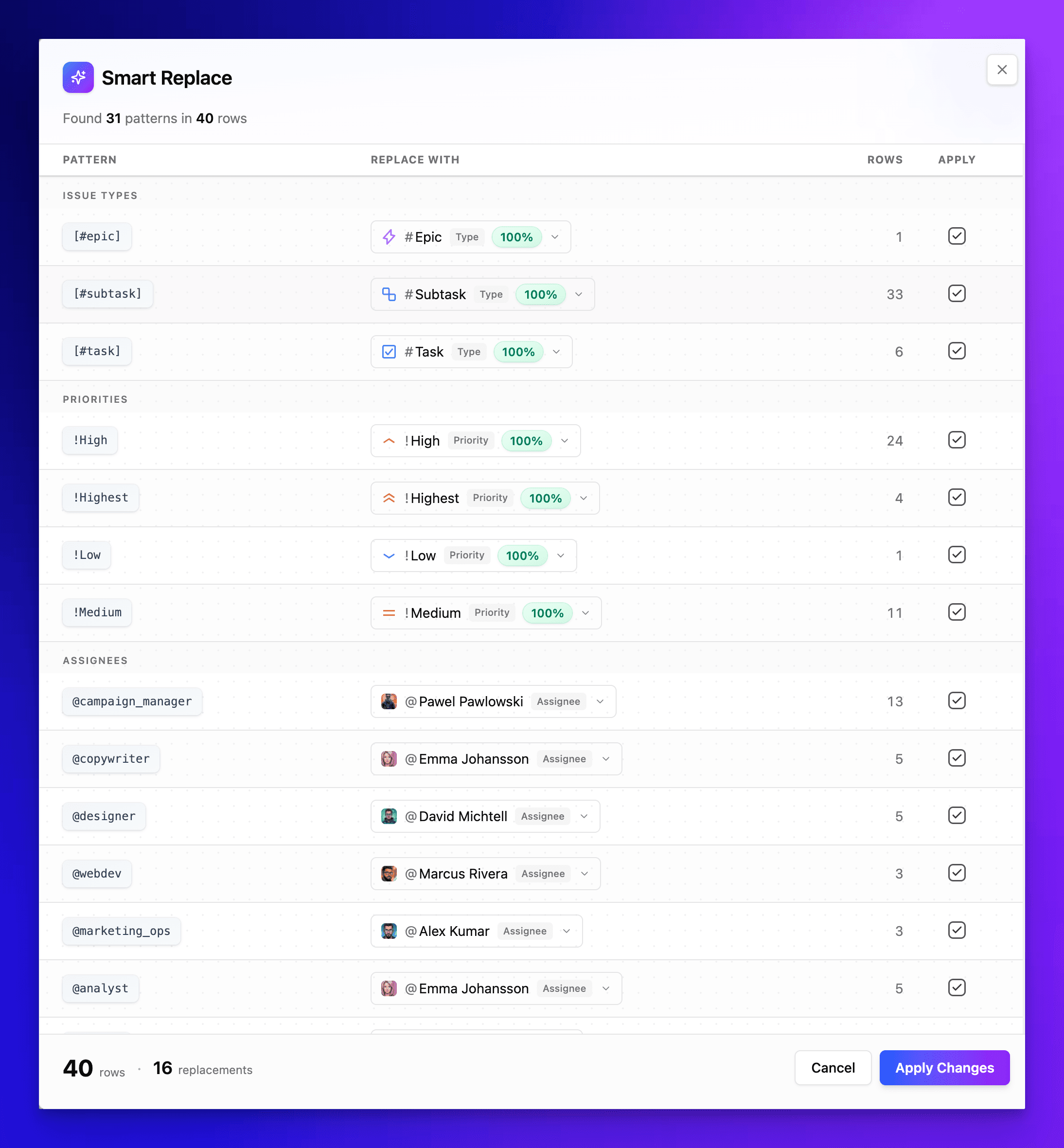
Smart Replace
Paste shorthand like [#epic], !High, @john — auto-detects every pattern and maps them to real Jira fields. 31 patterns across 40 rows, applied in one click.
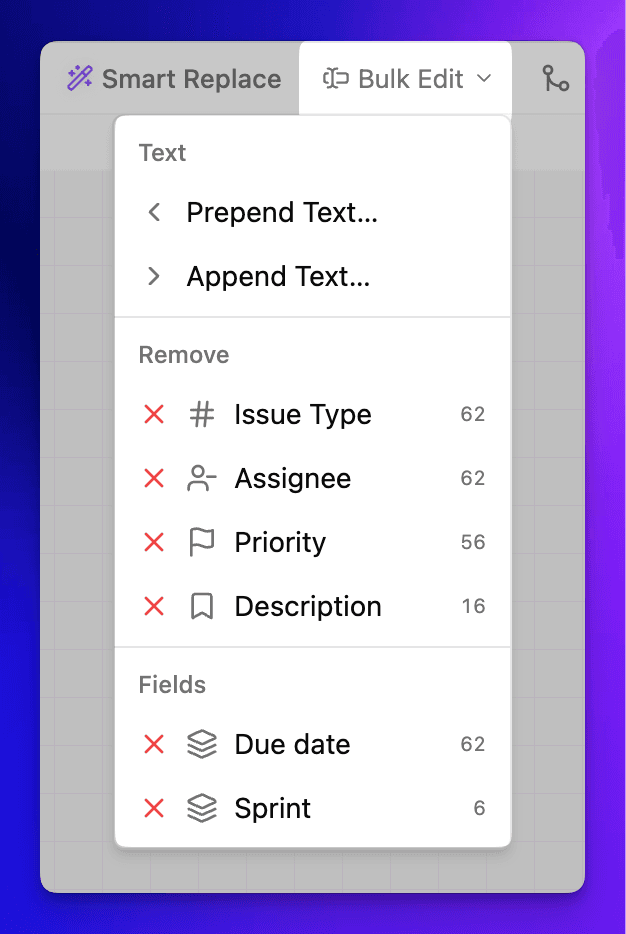
Bulk Field Application
Select all rows, filter by issue type, then apply changes to every match. Prepend, append, or strip fields in bulk — the count shows how many rows are affected.
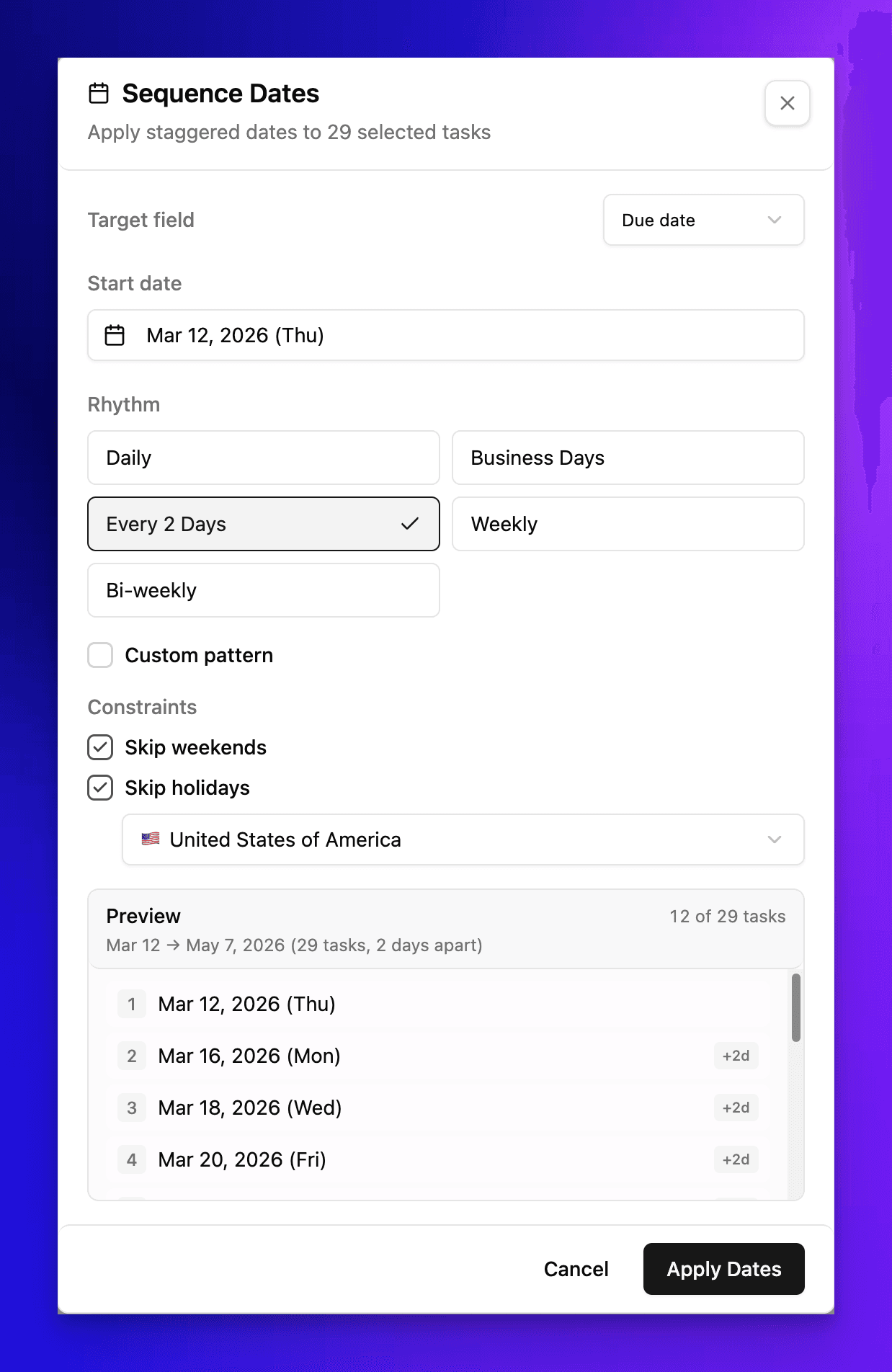
Sequence Dates
Auto-stagger due dates — daily, every 2 days, weekly, bi-weekly, or custom pattern. Skip weekends and holidays with 230+ regional calendars built in.
Round-Robin Assignment
Distribute tasks evenly across team members. Pick people manually or assign by role — tasks rotate automatically.

Keyboard Shortcuts
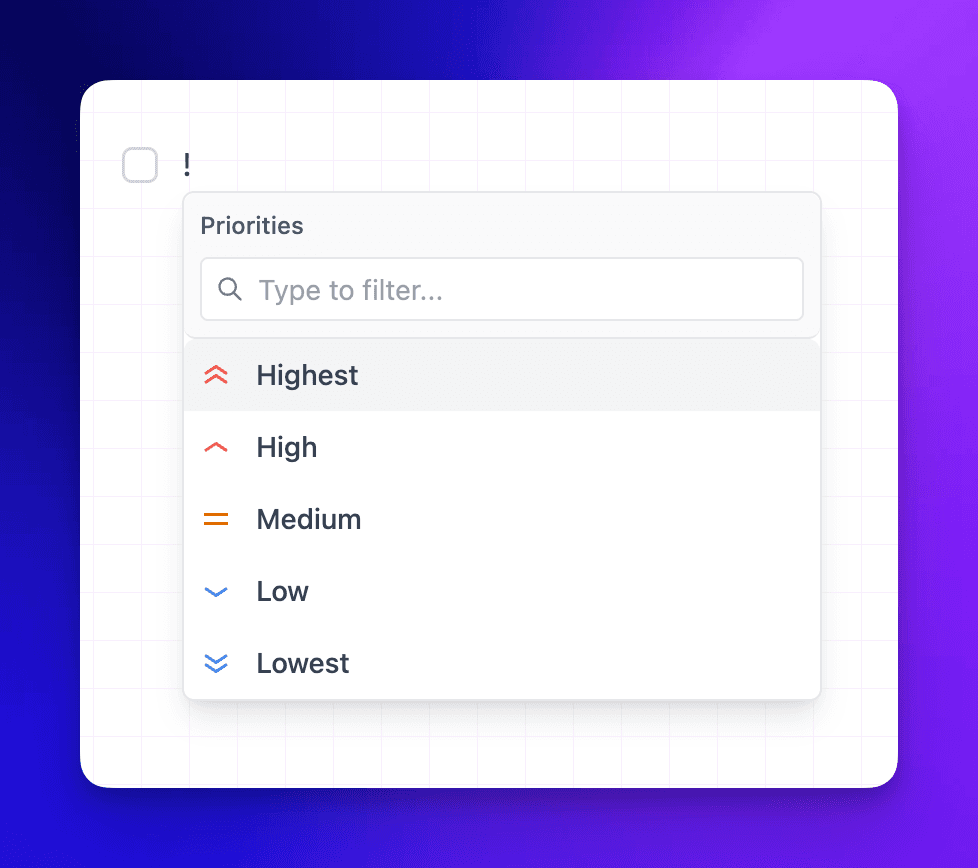
Type shorthand characters to trigger instant field pickers — priorities, issue types, assignees, dates. No menu hunting, just type and pick.
Quick Filters & Selection
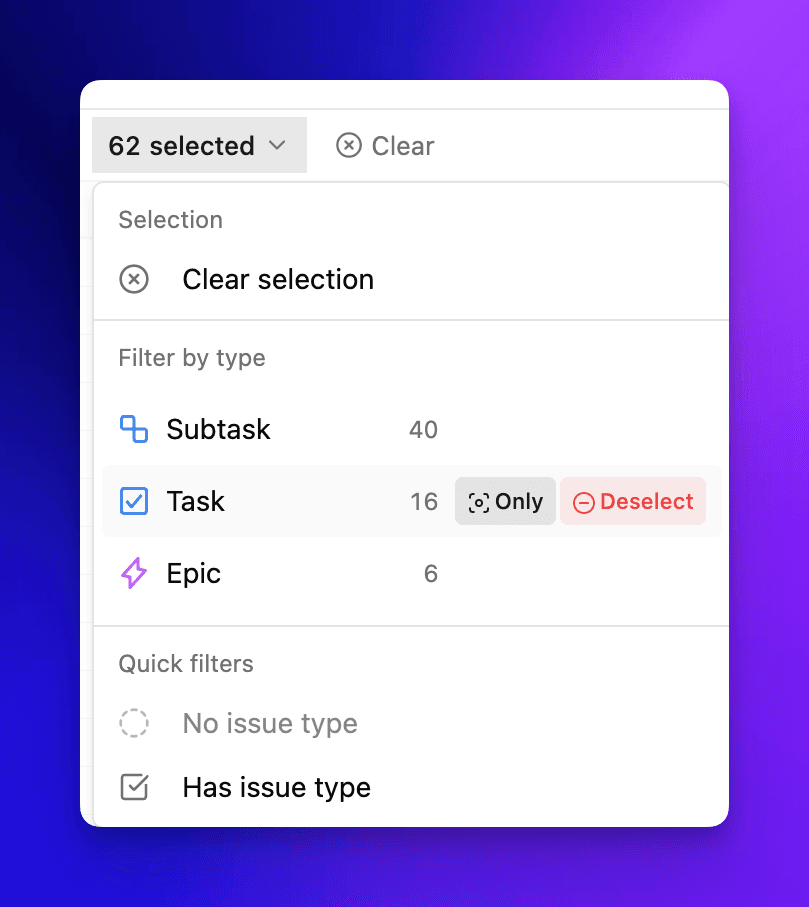
Select all, then refine by issue type — only Tasks, only Bugs, or everything except Epics. Apply fields to the filtered set in one click.
Visual Hierarchy
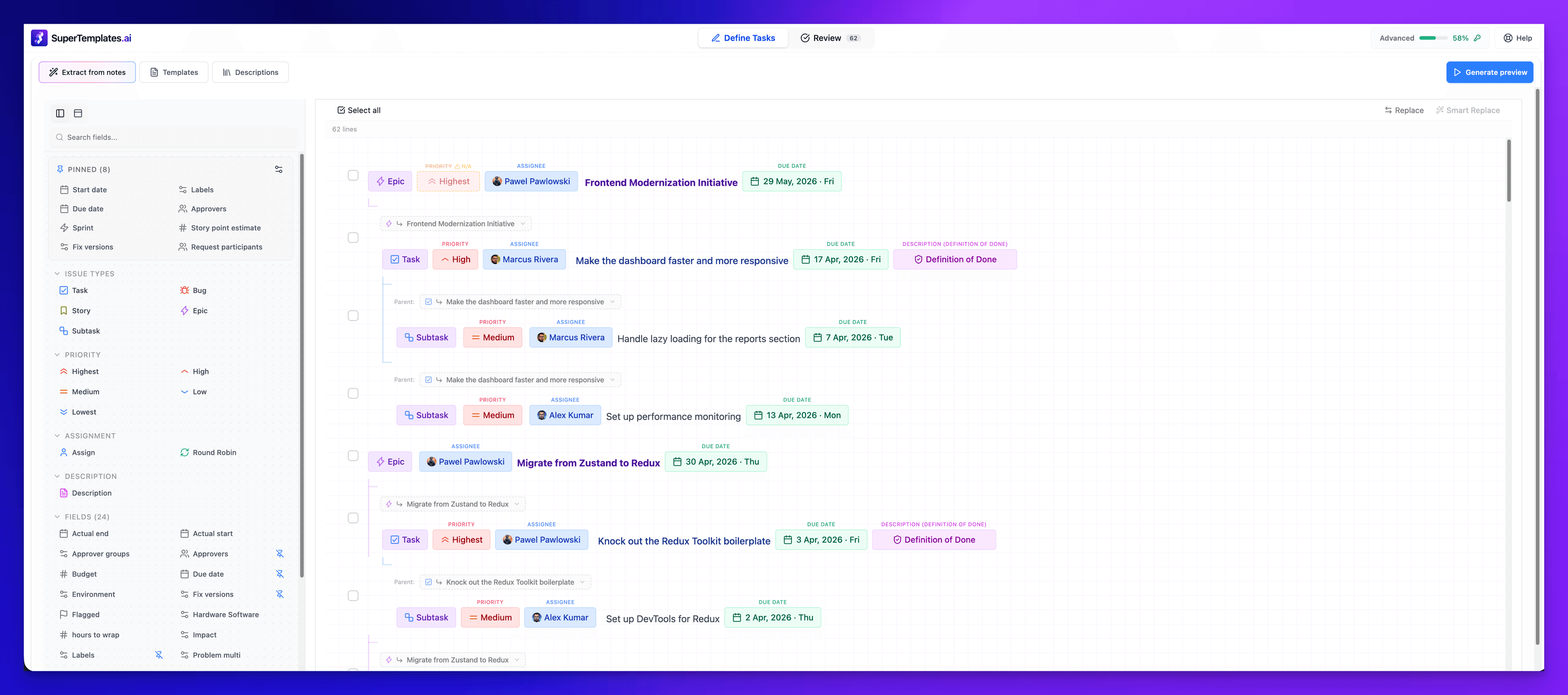
Epics, Stories, and Subtasks nest automatically based on position. Drag to reorder, use Alt+Arrow for keyboard control. The full task tree is visible at a glance.
How the tools behave
Every operation above is rule-based — the same rows and the same clicks give the same result every time, with no model in the path. Each one has a reference page that spells out its syntax and edge cases: Smart Replace has a documented marker vocabulary for assignees, priorities, issue types and dates in the Smart Replace reference, date staggering is specified in sequential dates, the rotation rules in round-robin assignment, and the full trigger list in keyboard shortcuts.
This page is the specification, not the walkthrough. If what you want is the workflow — pull a set of issues in, fix the fields that are wrong, push the batch back — start at bulk editing Jira issues. Breaking one existing issue into children starts at bulk-creating subtasks under a parent instead.
None of these tools care where the rows came from. Type them, paste a tree, or start from the library of copy-ready Jira task templates and adjust before anything reaches Jira. Structures you rebuild every cycle are better saved as a template with dynamic variables.
Your next sprint planning is one paste away.
Install from the Atlassian Marketplace, open the panel inside Jira, and create your first batch before the meeting ends.
No credit card. No API key. Runs entirely on Atlassian infrastructure.