Jira Issue Templates with Dynamic Variables
Teams rebuild the same sprint structures, onboarding checklists and incident playbooks every cycle. Define the tree once, mark the fields that change as variables, then stamp out fully configured Jira issues in seconds.
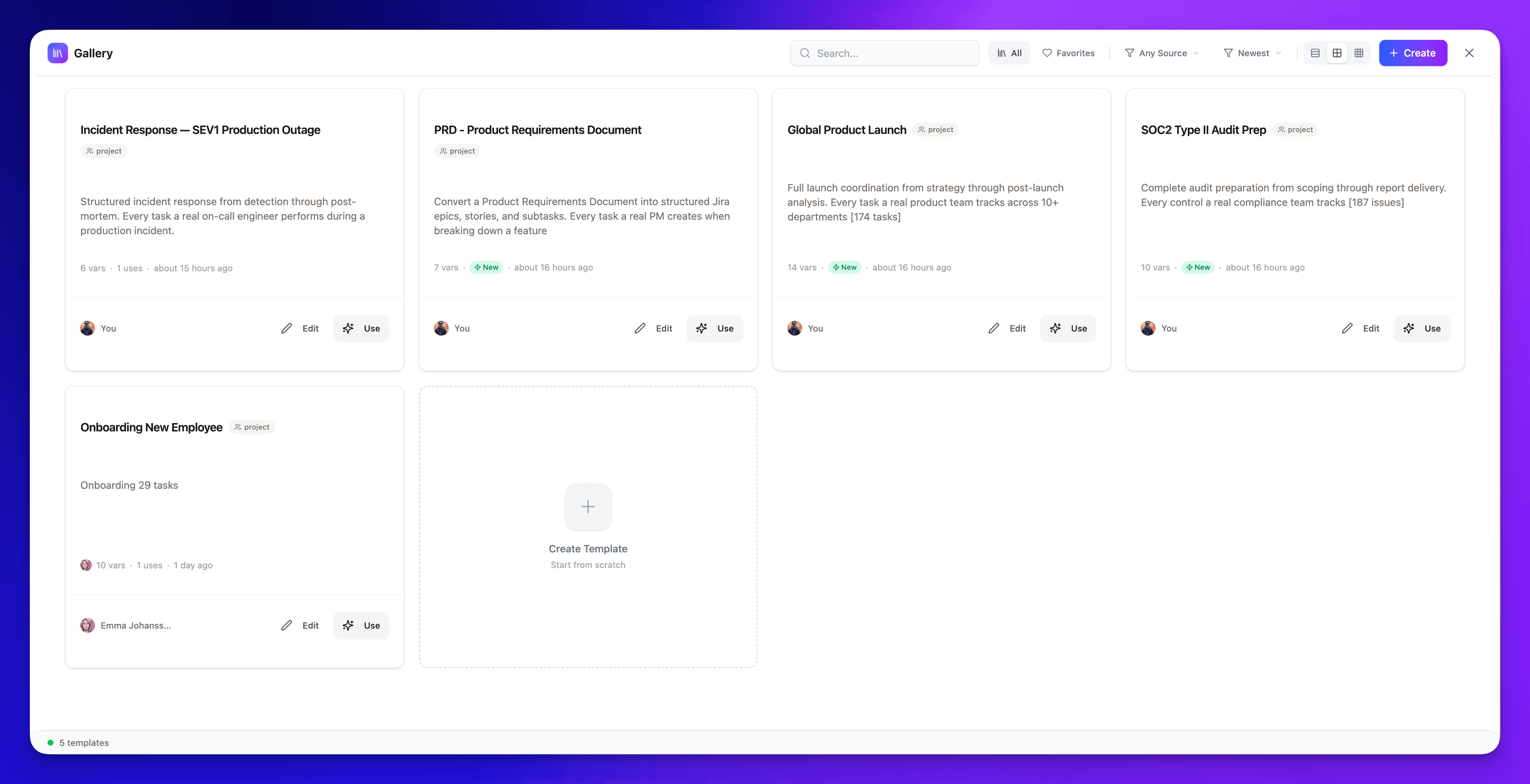
Design your task blueprint
Define issue hierarchy, drag to reorder, assign variables to any field. The template editor gives you a visual canvas to build structured Jira templates — with real field pickers, not YAML.
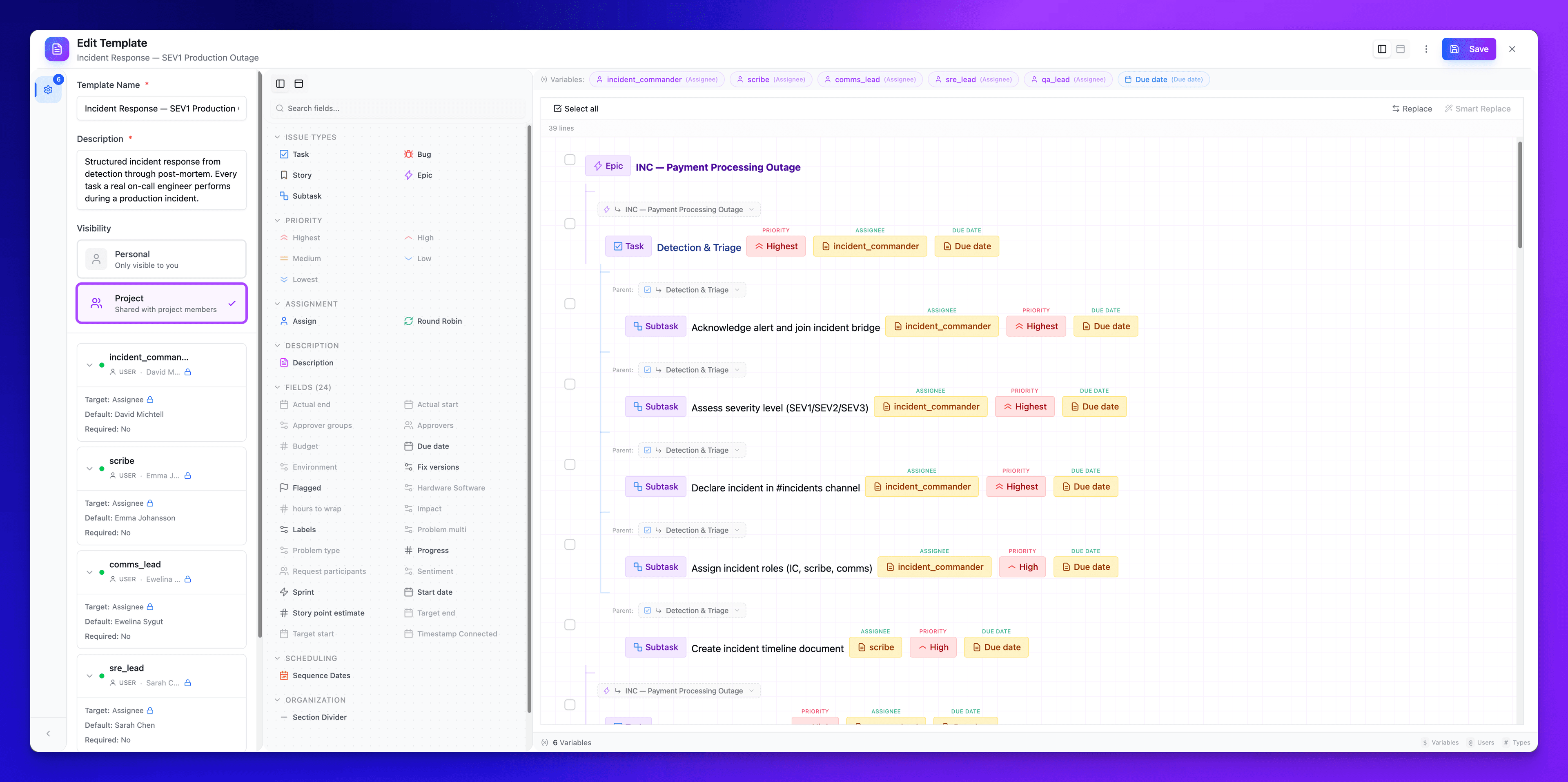
Variables from any field
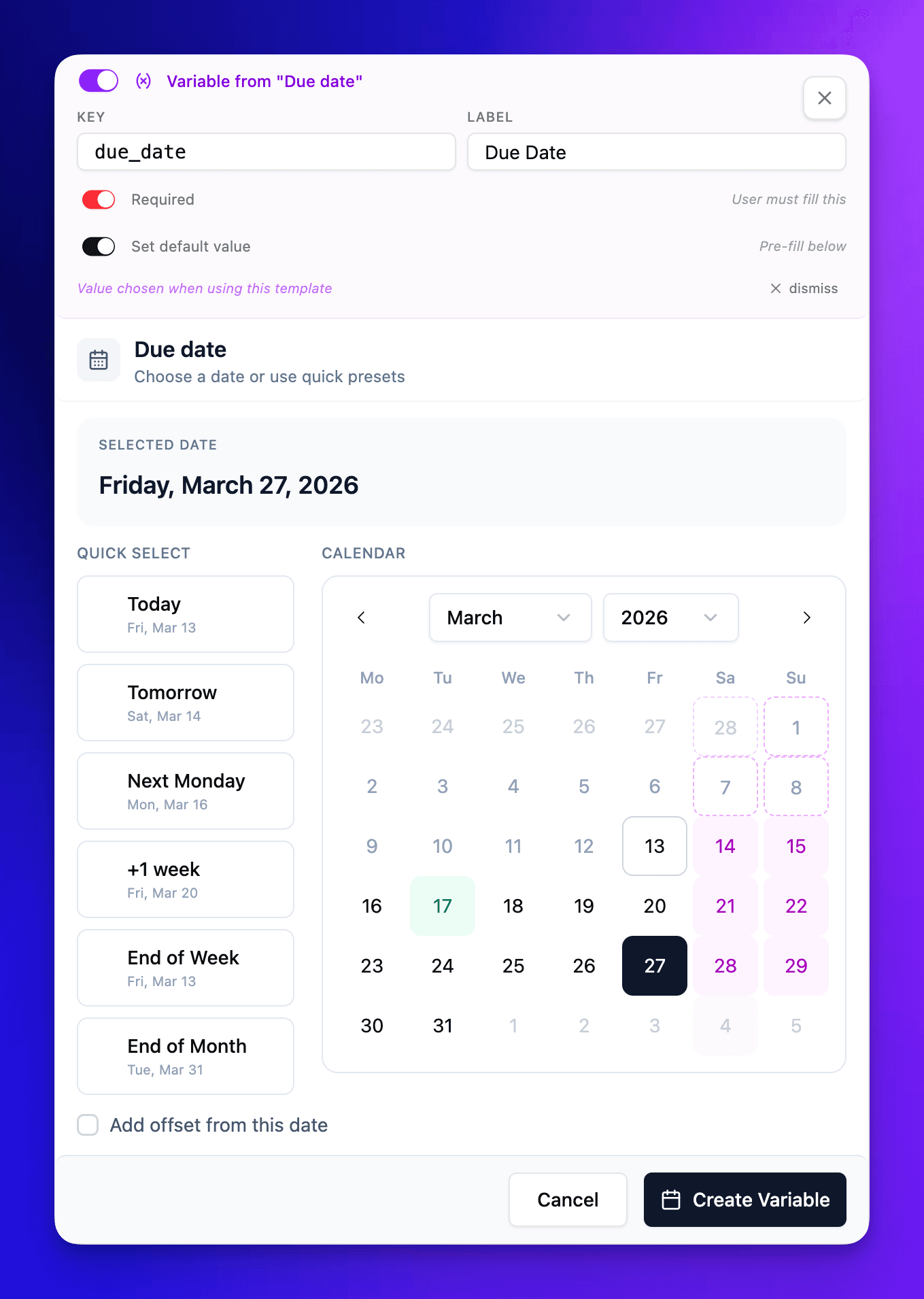
Click any field pill to promote it to a template variable. Set a default value, or leave it empty for the user to fill in at apply time. Every Jira field type is supported — text, dates with offset logic, users, multi-user, sprints, selects, cascading selects, numbers, conditionals, and custom fields. Date variables auto-calculate business days and skip weekends and holidays.
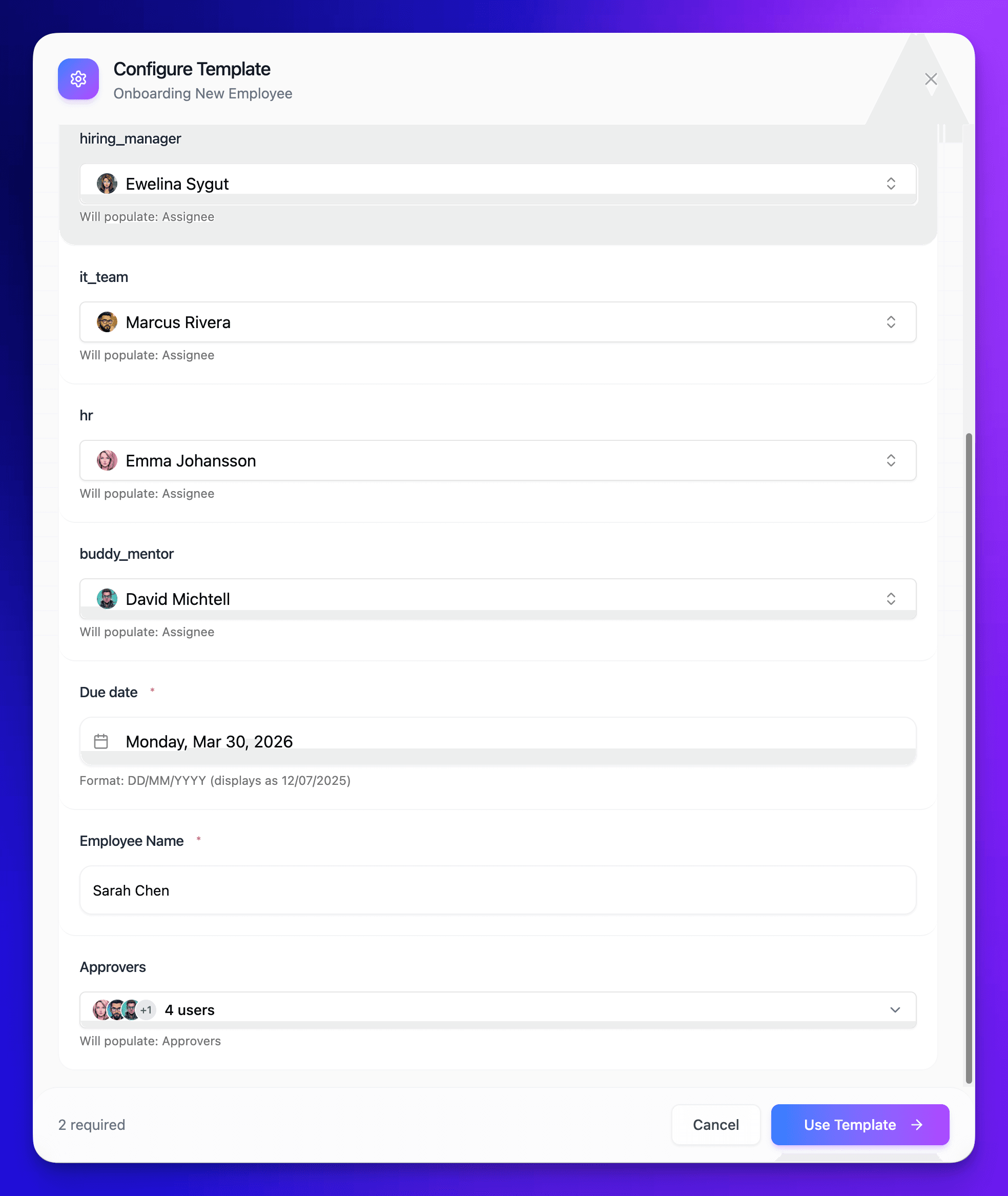
Apply in one click
When you use a template, a modal collects all variable values up front. Fill in once — the template expands into fully configured Jira tasks with the right fields, hierarchy, and assignments. No copy-paste, no manual editing.
The same Jira setup, built once. Reused every cycle.
Onboarding, launch checklists, release runs — recreated line by line, sprint after sprint.
Date variables that respect the working week
Most template tools store a date. A SuperTemplates date variable stores a formula — an anchor, a signed offset, and a unit. Due date + 3 days. Kickoff − 2 weeks. Today + 6 months. The anchor is another variable on the template, or the built-in Today. Nothing is frozen when you build the template — every date is recalculated at the moment someone applies it.
Three ways to handle a weekend
Set the rule per date variable, not per project:
- Keep — land wherever the arithmetic lands. A Saturday deadline stays Saturday, which is what you want for anything that isn't a working task.
- Nearest weekday — Saturday rolls back to Friday, Sunday rolls forward to Monday. The interval stays roughly intact and the date lands on a day someone is at work.
- Business days — the offset itself counts Monday to Friday only. Five business days from a Thursday is the following Thursday, not the Tuesday a calendar count would give you. In a template's date dialog, business-day counting applies to offsets measured in days.
Holidays come from a real calendar
Turn on Skip holidays and choose a region — a country, plus a state or province where the dates differ. A resolved date that lands on a holiday walks forward to the next working day, and the tooltip tells you what it did: Skipped 2 holiday(s), with the dates it stepped over.
- Public and bank holidays move dates. Observances don't. Valentine's Day and St Patrick's Day appear in the calendar so you can see them, but they never push a due date. Nobody takes the day off, so nothing should shift.
- Company days off count as holidays. Offsites, shutdown weeks, the Friday after a launch — added once in admin settings, then treated exactly like a public holiday by every template your team applies.
- Every holiday has a toggle. Your team works Boxing Day? Untick it and dates stop stepping over it. The regional calendar is a starting point, not a verdict.
- Year boundaries hold. Resolution loads the anchor's year and the year after it, so an onboarding plan that starts in November and runs into January still knows about January's holidays.
The payoff is boring on purpose: a quarterly template applied on a Monday in December produces the same shaped schedule as one applied in July, and no task lands on a day the office is shut. If you want the same staggering across an ad-hoc batch rather than a template, sequential dates applies a rhythm to selected rows with the same weekend and holiday rules. The step-by-step build instructions live in the template documentation.
Start from something already built
You don't have to design every blueprint from scratch. The public library of copy-ready Jira task templates covers the work teams repeat — the sprint planning template, for instance, lays the whole ceremony out as a typed task tree. Paste one into the editor, adjust it, and save it as a template of your own with the variables your team actually fills in.
Descriptions get the same treatment: description presets fill an issue body with a structured format — user story, bug report, definition of done — instead of retyping it task by task. For the process these variables usually serve, see planning a sprint in Jira.
Your next sprint planning is one paste away.
Install from the Atlassian Marketplace, open the panel inside Jira, and create your first batch before the meeting ends.
No credit card. No API key. Runs entirely on Atlassian infrastructure.